
How to Create an Affiliate Link
Want to start earning money by promoting WEDOS services? Just create your own affiliate link. It only takes a few minutes.
1. Go to the "Text Campaigns" section
In the partner dashboard, click on " Text Campaigns" in the left-hand menu.
Here you can see an overview of all your campaigns, and this is also where you'll create new links.
2. Click "+ Campaign"
Click the "+ Campaign" button in the upper-right corner.
This will start the process of creating a new campaign, under which your affiliate links will be generated.
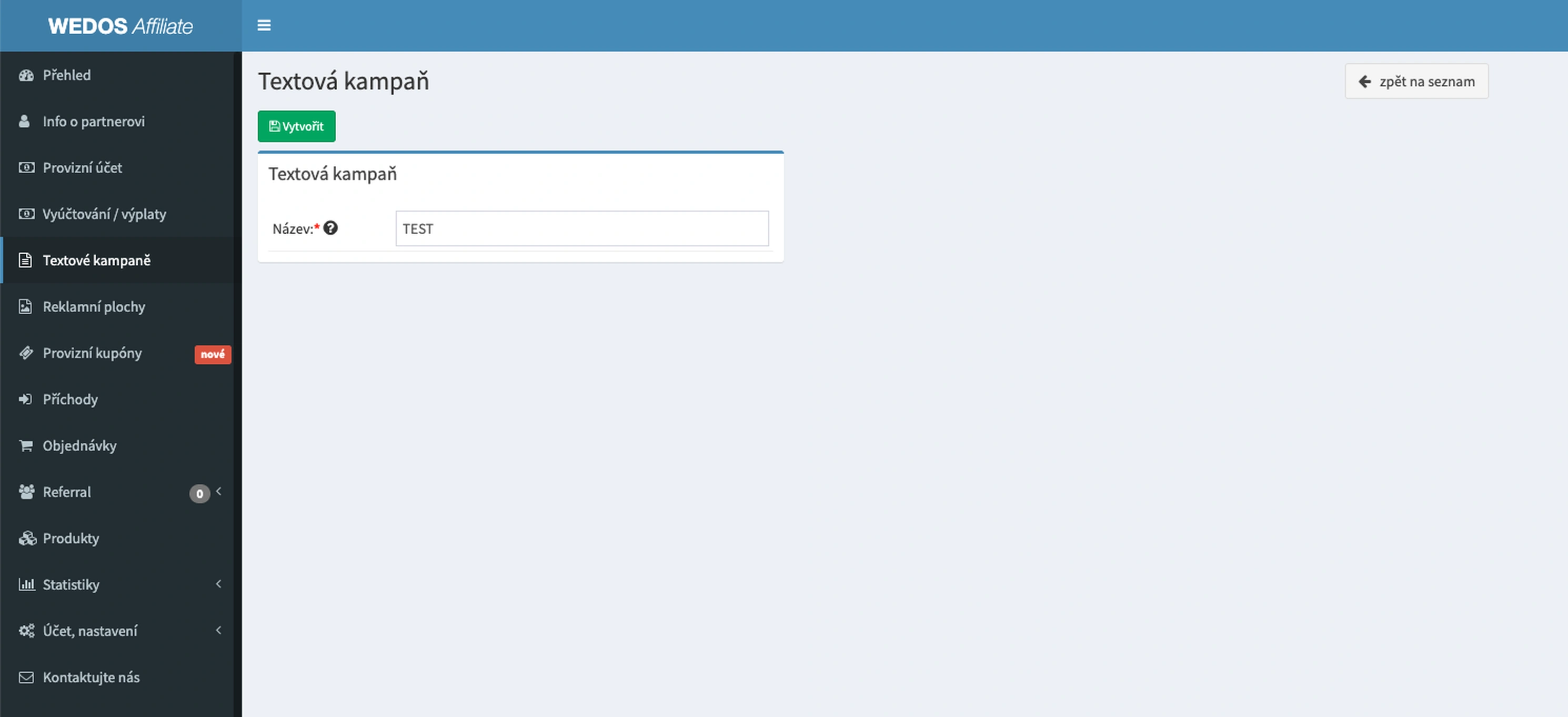
3. Enter a name for the campaign and create it
Enter the campaign name. Recommendation:
- according to the website (e.g., blog hosting)
- by channel (e.g., Facebook Ads)
- based on the article (e.g., review-wedos)
Click Create. Done—your campaign is ready.
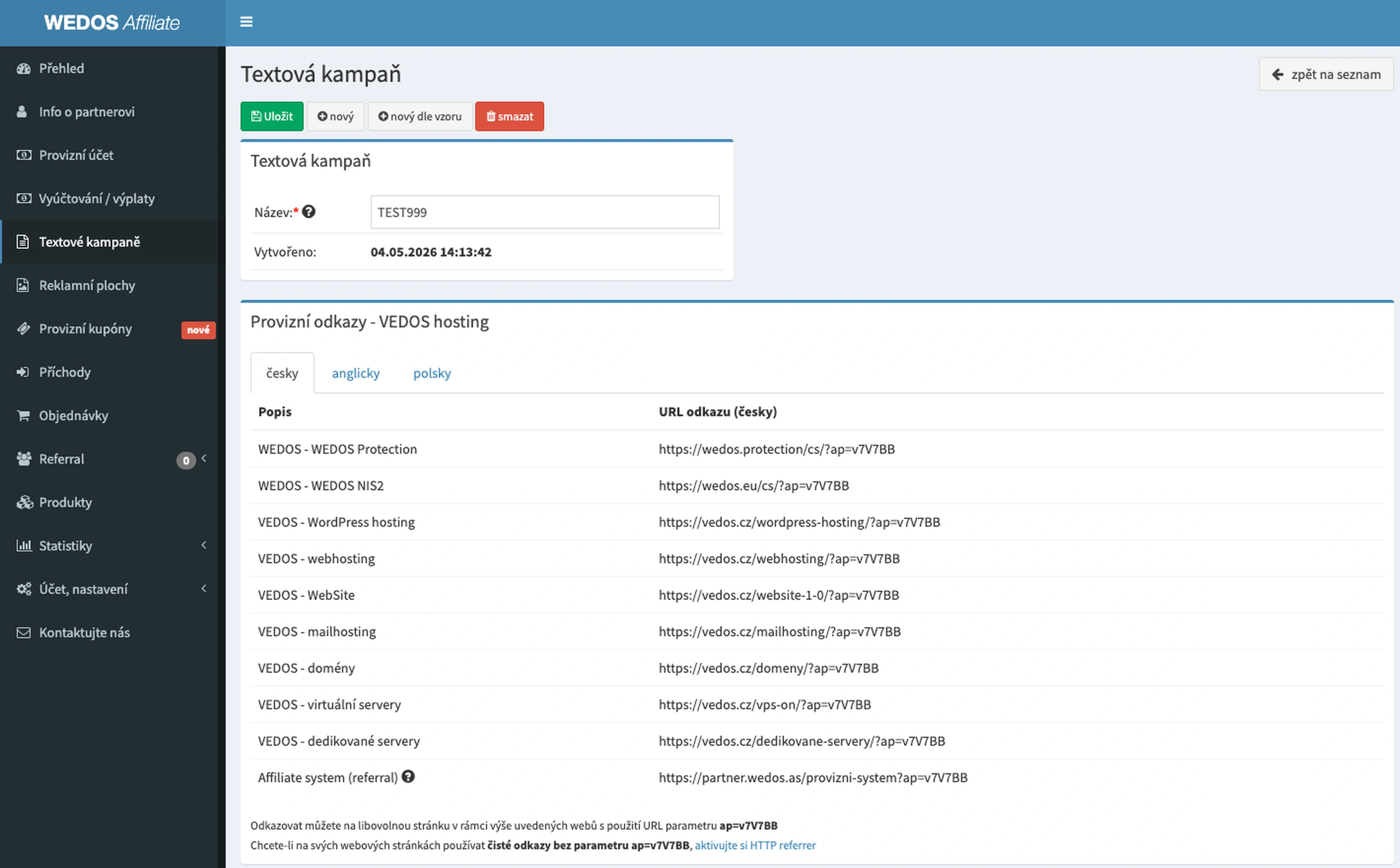
4. Copy the affiliate link
Once you've created a campaign, you'll see an overview of all your affiliate links.
- WEDOS Protection
- Web hosting
- WordPress hosting
- Domains
- VPS and more
For each service, you have your own unique URL link—it contains your affiliate code.
It’s worth running multiple campaigns based on traffic sources:
- separate blog
- separate email
- especially advertisements
This way, you know exactly what's bringing in the money.


